
Student information system
A student information system the whole school trusts
One record per student, from first enquiry to transfer certificate. The office, teachers and parents see the same facts, each with the access their role allows.
The student record
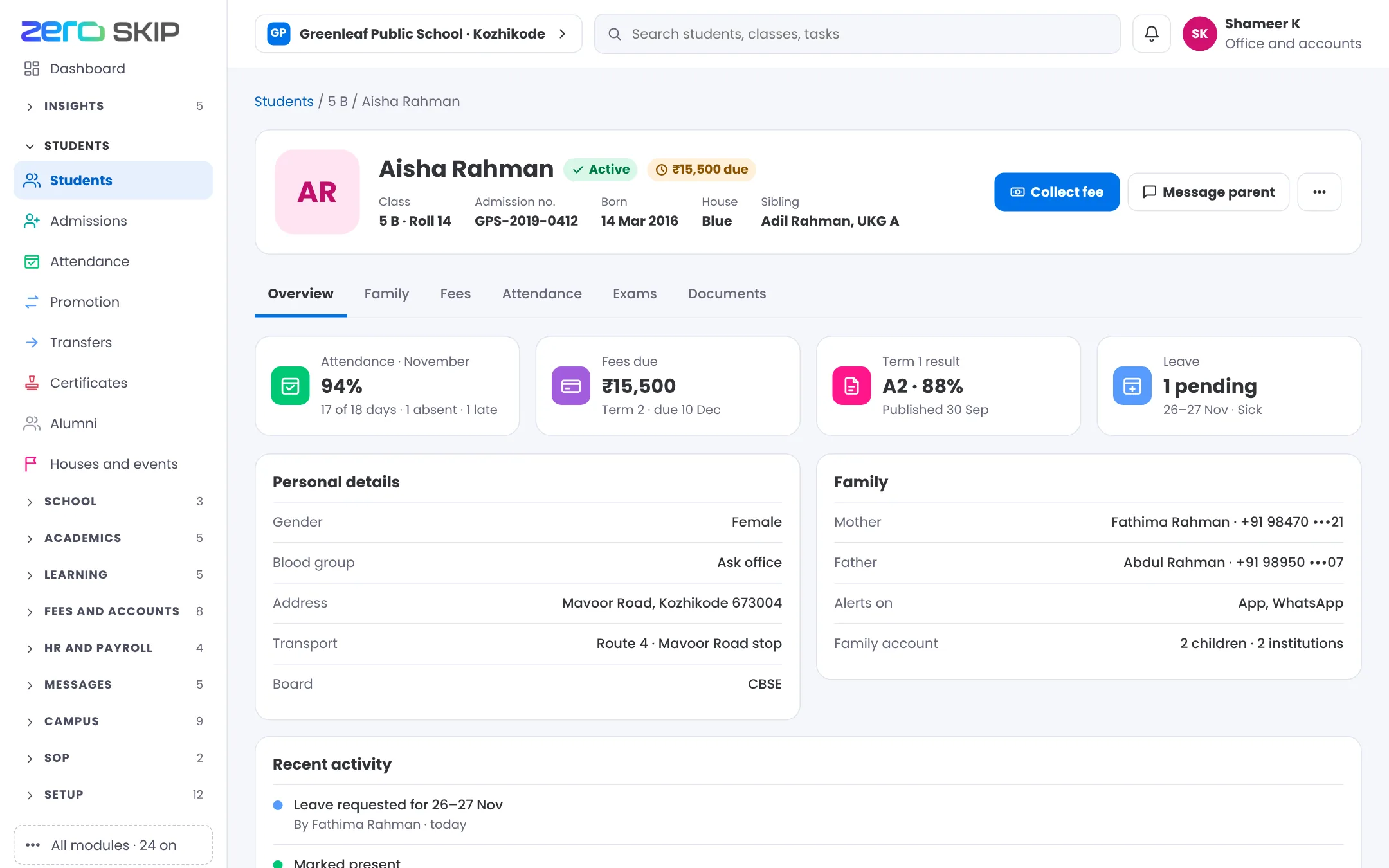
What one student record holds
Open a student once and see the whole picture. No second system to check.
Profile and family
Student details, parents and guardians, brothers and sisters in the school.
Attendance
Days present, absent and on leave, with the reason where one was given.
Fees
The fee plan, what is paid, what is due and every receipt.
Marks and report cards
Marks by exam and subject, and each published report card.
Documents and certificates
Admission papers and every certificate issued to the student.
SOP history
Each case that involved the student, such as a concession or a long absence.
Students and families
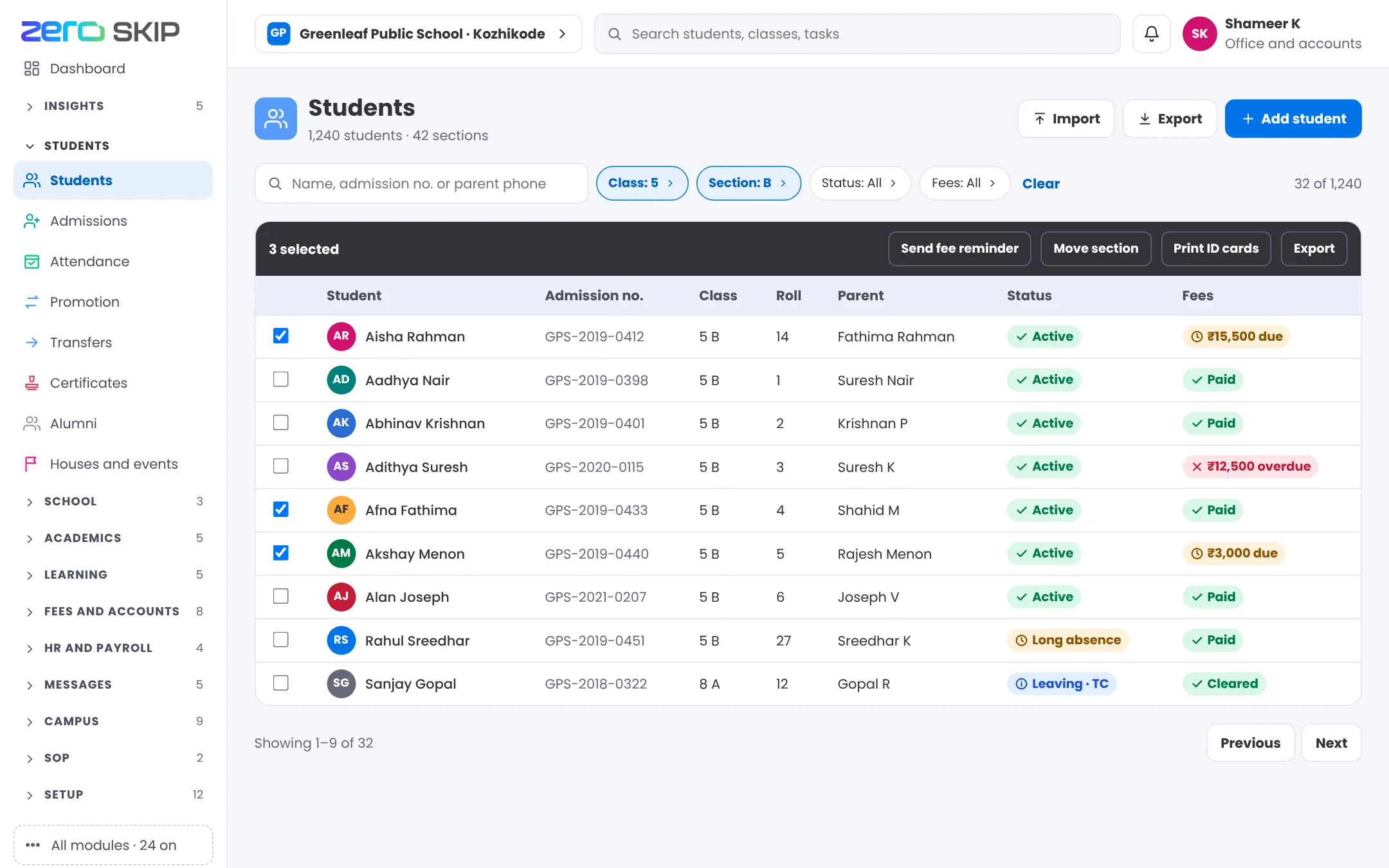
Find any student in seconds
Search by name, admission number or parent phone. Filter by class, house, bus route or fee status.
- Class strength by section
- Promotion and year end in the next release
- Transfers between campuses in a group
Admissions
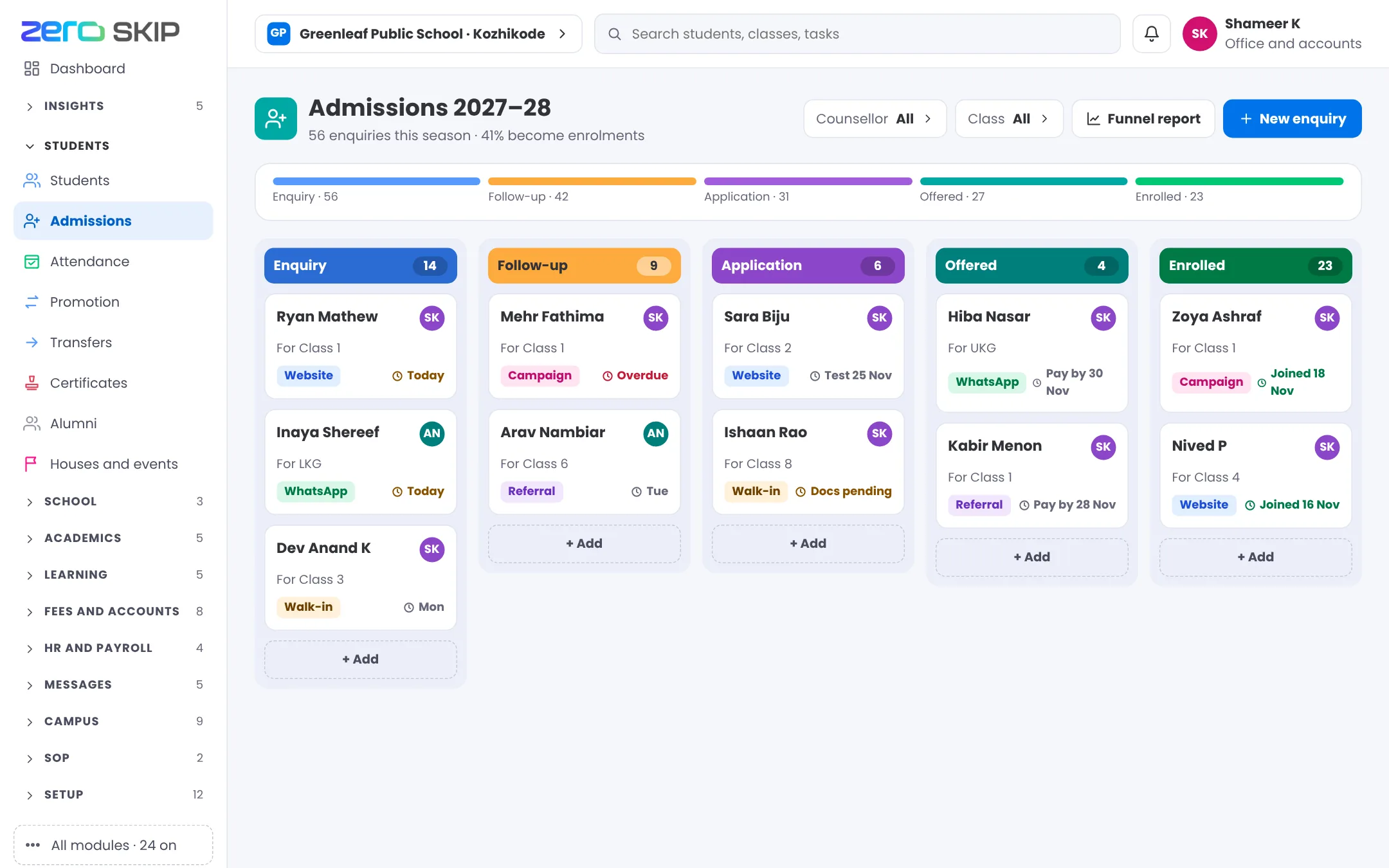
From first enquiry to a seat in class
Every enquiry is logged and followed up. An accepted application becomes a student record without retyping.
- Enquiries and follow-up dates
- Application, documents and fee at admission
- A view of where applicants are waiting
Attendance
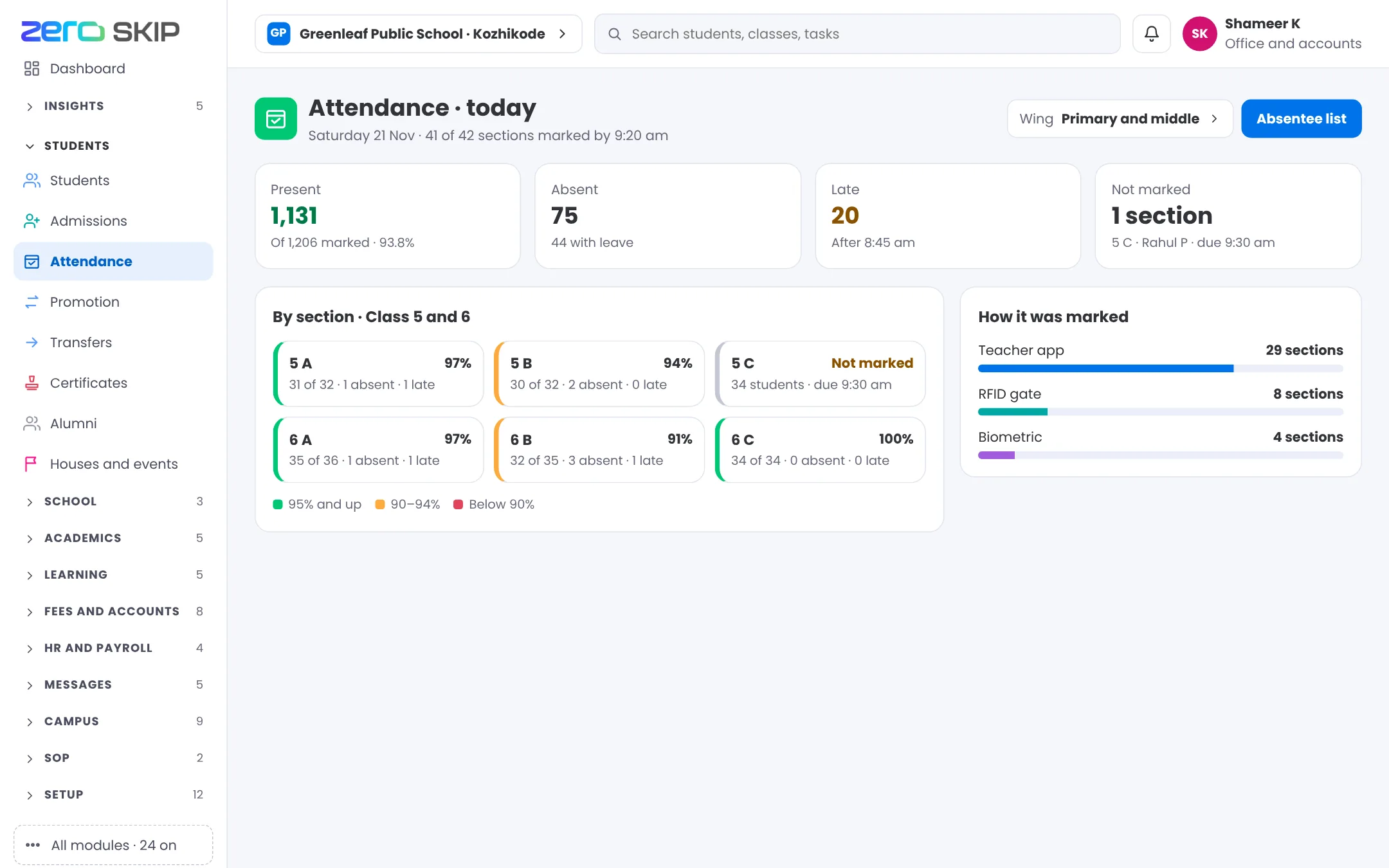
Attendance for the whole school by first period
See which classes are marked, who is absent and which absences have no reason yet.
- Day or period attendance
- Absence messages to parents
- Long absence starts a follow-up SOP
Access and privacy
Roles decide who sees what
A student record holds private facts. Zeroskip shows each person only what their role needs.
Roles and permissions
Menus, students and amounts are limited by role.
Audit log
Who viewed or changed a record, and when.
Data requests
Export or correct a family's data on request.
Regional hosting
Data is kept in the region set at onboarding.
FAQ
Questions about the student information system
What is a student information system (SIS)?
A student information system is the school's main record of its students: who they are, which class they are in, their attendance, marks, fees and documents. Other modules read from it.
How is an SIS different from a school ERP?
The SIS is the student record. A school ERP adds fees, accounts, payroll and other office work around it. Zeroskip includes both.
Can we import our current student data?
Yes. Students, parents and classes come in from spreadsheets with the import tool, and the import shows errors before anything is saved.

See Zeroskip with your own school in mind
Tell us about your school. We will show the modules you need, with your classes, your fee heads and one of your own procedures.
Or call [YOUR PHONE] · WhatsApp [YOUR WHATSAPP]