
School fee management and accounting software
Fees, receipts and accounts in one flow
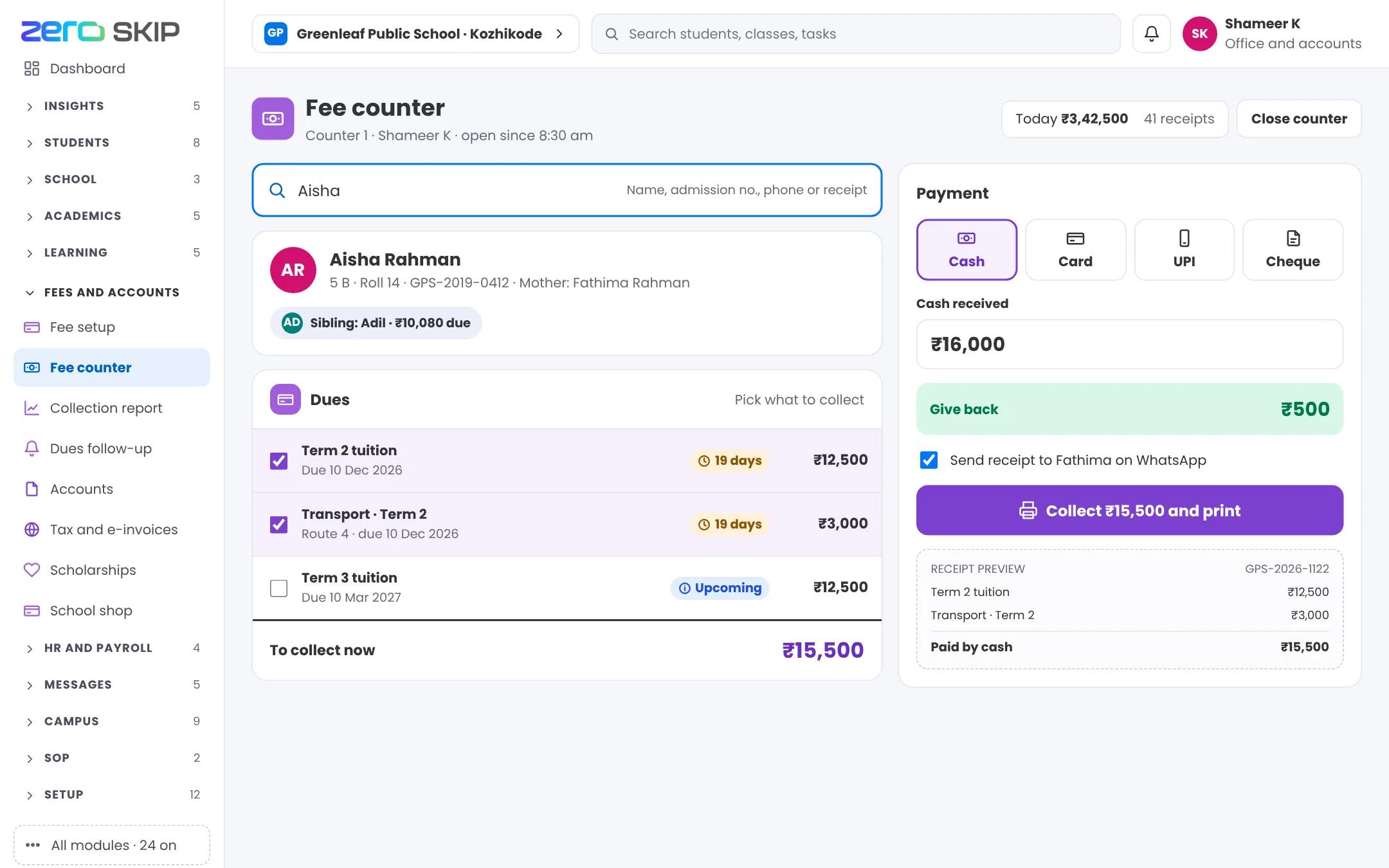
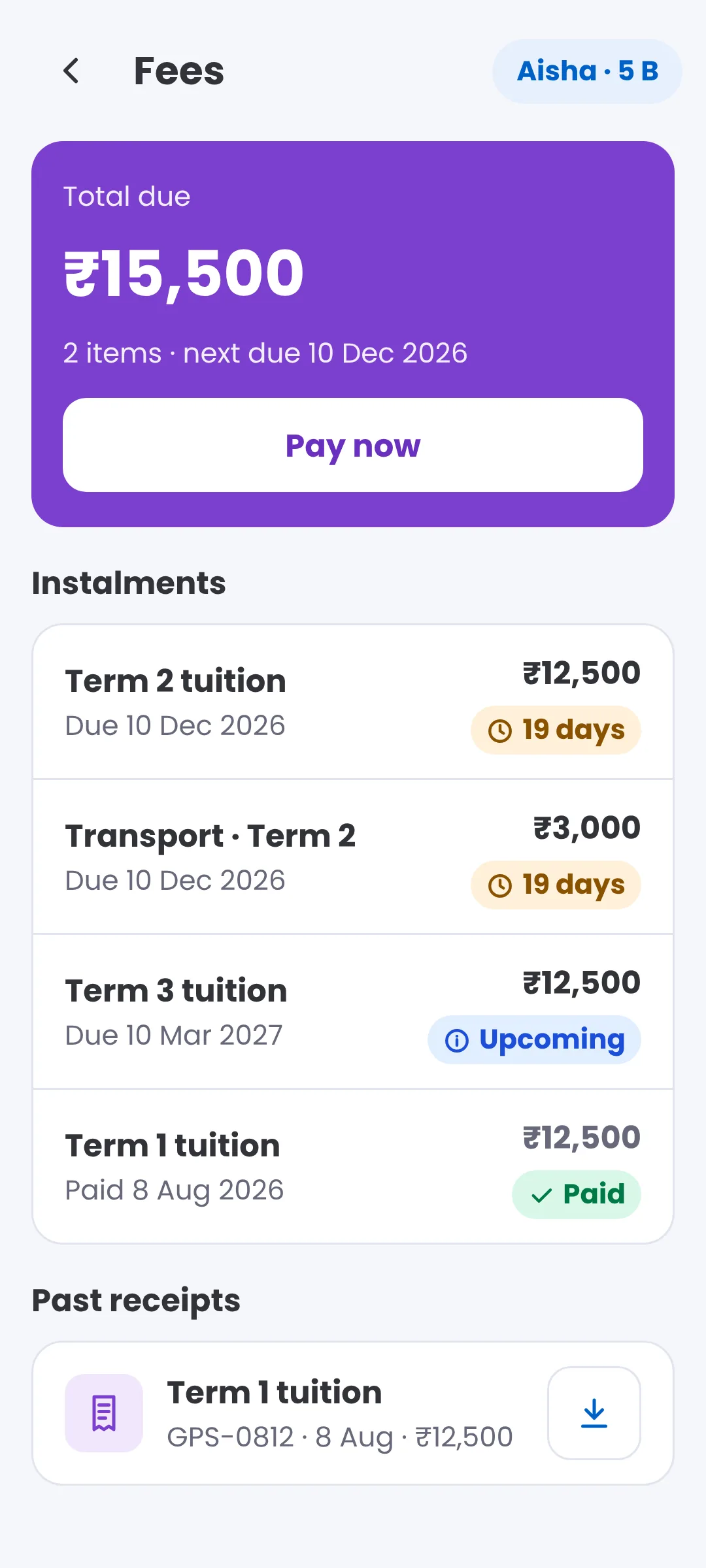
Set the fee plan once. Collect at the counter or in the Family app. Every receipt lands in the day book, and the dues list keeps itself current.
How it flows
From fee plan to ledger, without typing anything twice
| Step | What Zeroskip does | Module |
|---|---|---|
| 1. Fee plan | Heads, terms, due dates, concessions and fines by class. | Fee setup |
| 2. Collection | Counter receipts by cash, card, cheque or bank transfer. Online payment in the Family app. | Fee counter |
| 3. Follow-up | A dues list by class, with reminders by app, WhatsApp and SMS. | Dues follow-up |
| 4. Accounts | Vouchers, day book, ledgers and bank reconciliation. | Accounts |
| 5. Reports | Collection by day, class, fee head and collector. | Collection report |
| 6. Tax | GST in India. VAT invoices and e-invoice fields in the UAE. | Tax and e-invoices · next release |
Fee setup
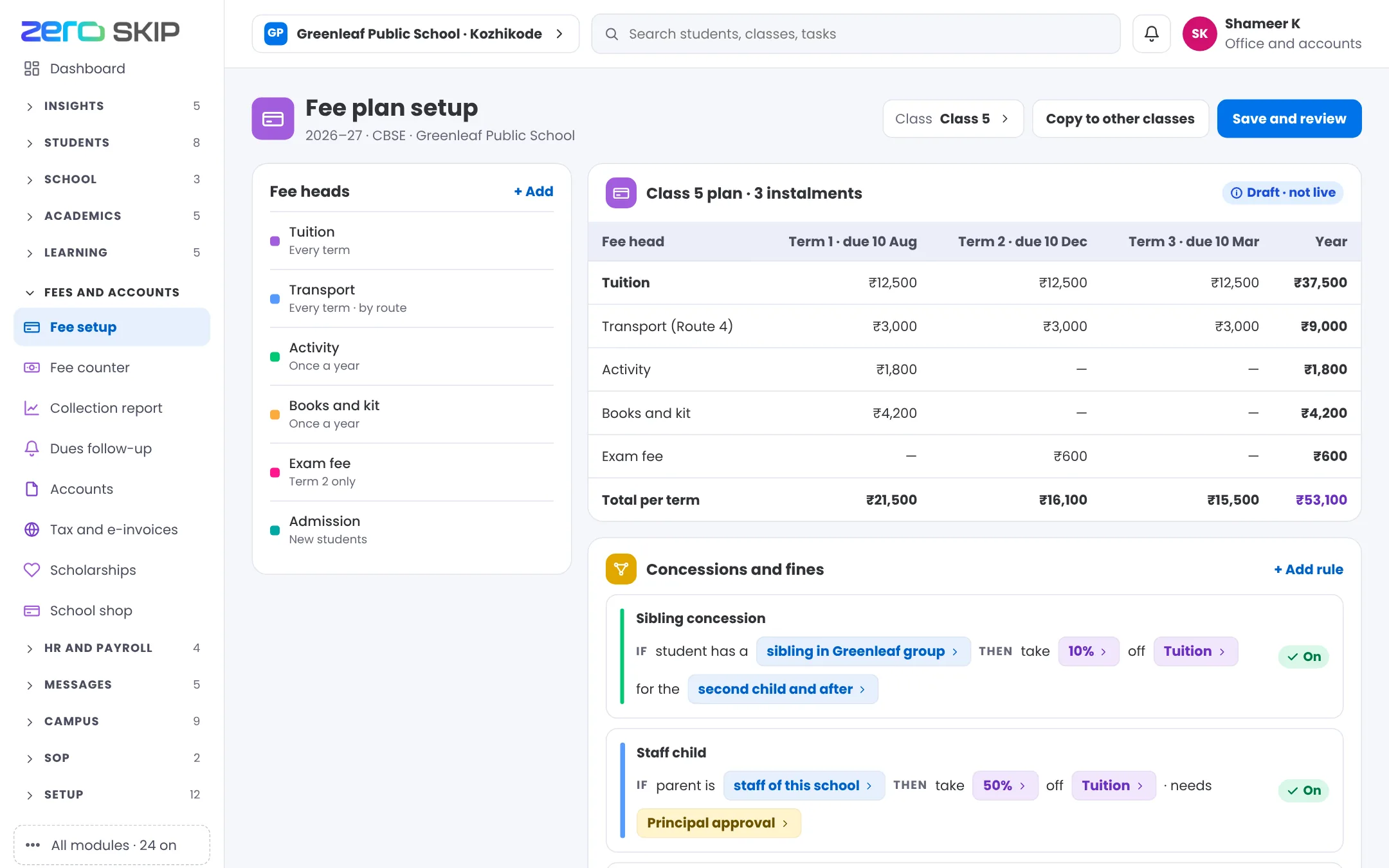
One fee plan for each class, term and concession
Build the plan from your own fee heads. Transport, hostel and optional fees attach to the students who use them.
- Terms and due dates set once a year
- Concessions and fines by rule
- Changes apply from the date you choose
Dues follow-up
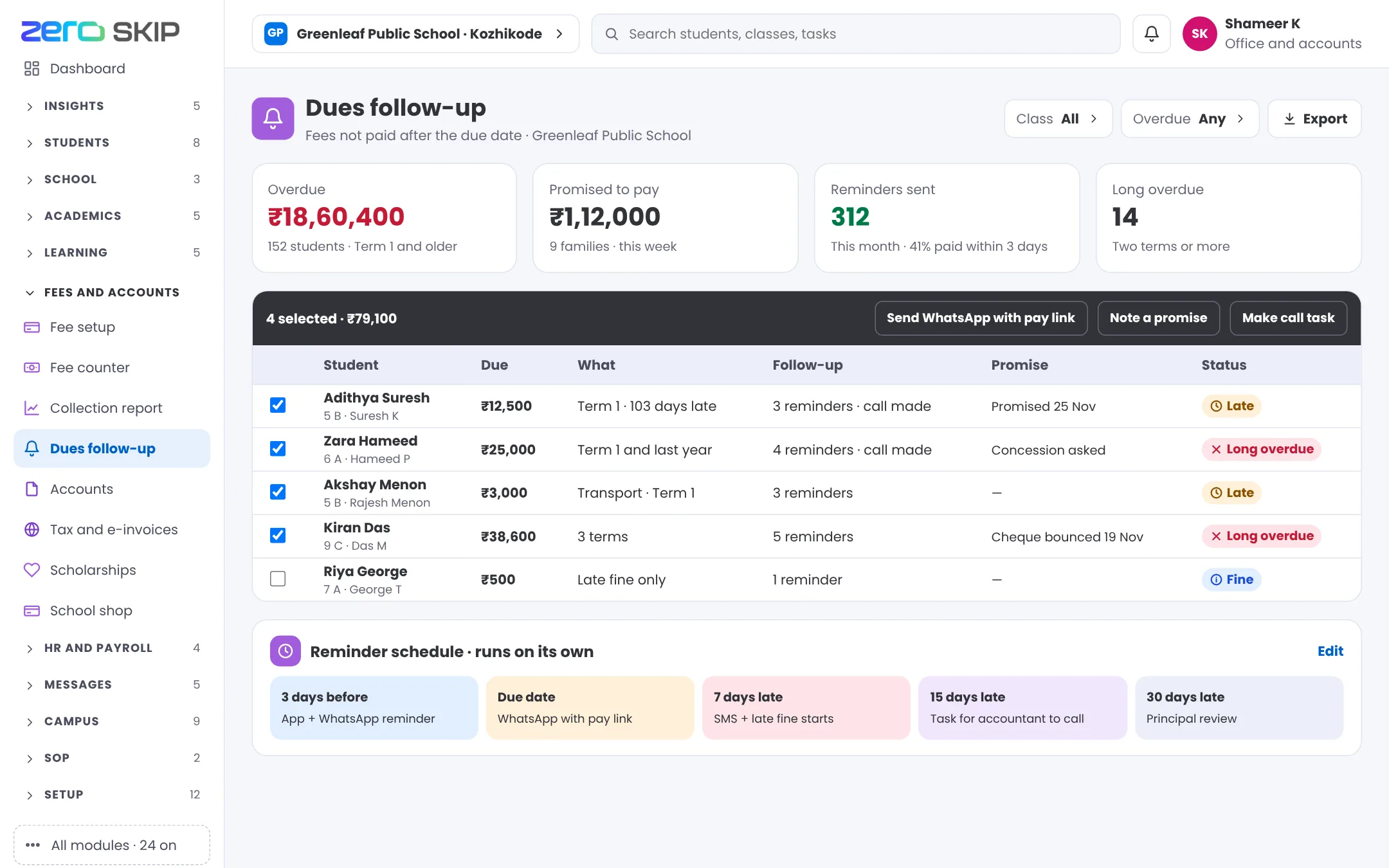
A dues list the office can act on
See who owes what, by class and by age of the dues. Send a reminder to one family or to a whole list.
- Dues by class, head and number of days
- Reminders by app, WhatsApp and SMS
- Notes from calls kept with the family
Accounts
School accounting software inside, not beside
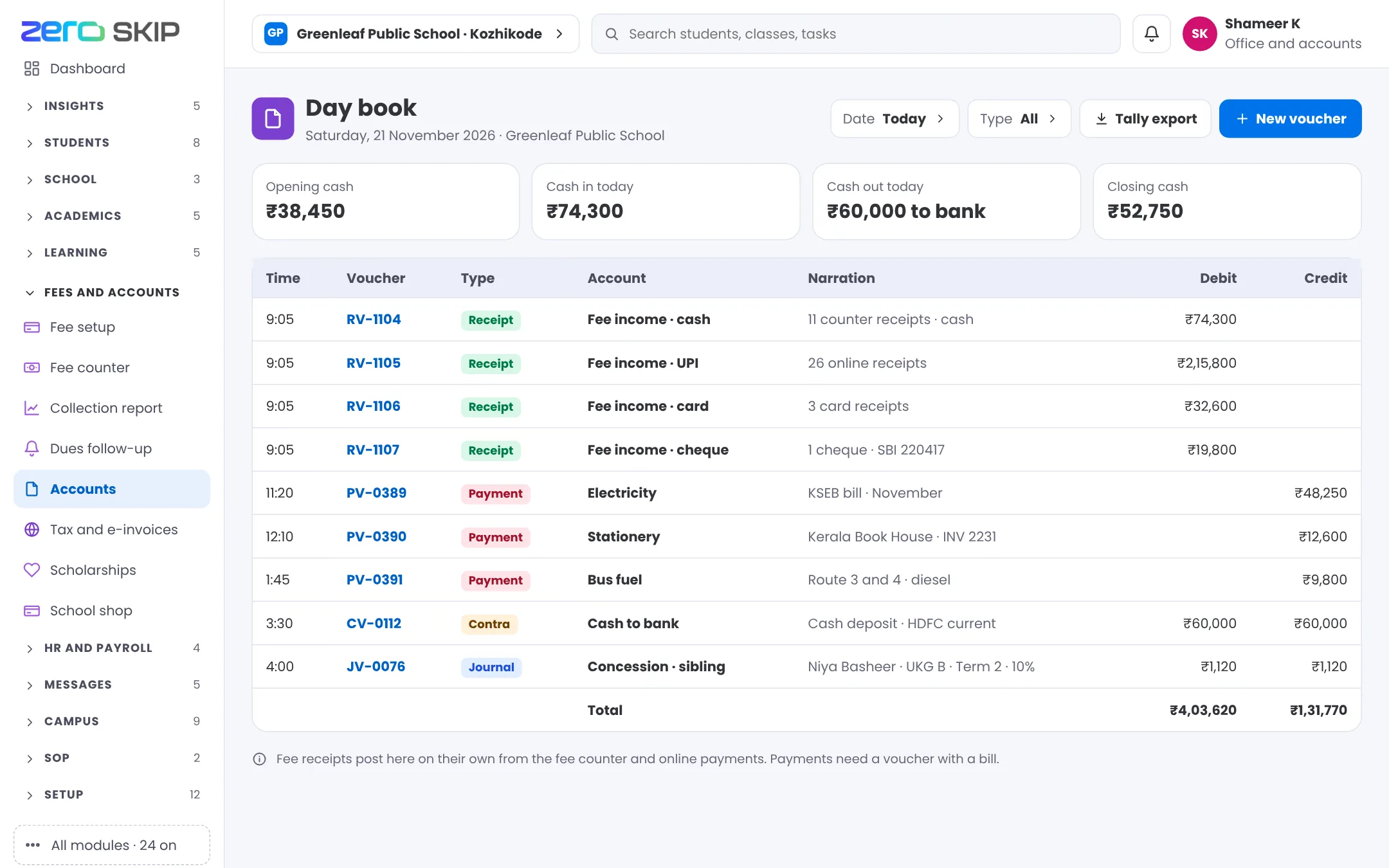
Receipts and payments post to the books as they happen. The accountant closes the day from one screen.
- Vouchers, day book and ledgers
- Bank reconciliation
- Export to Tally when your auditor asks for it
Tax and e-invoices · next release
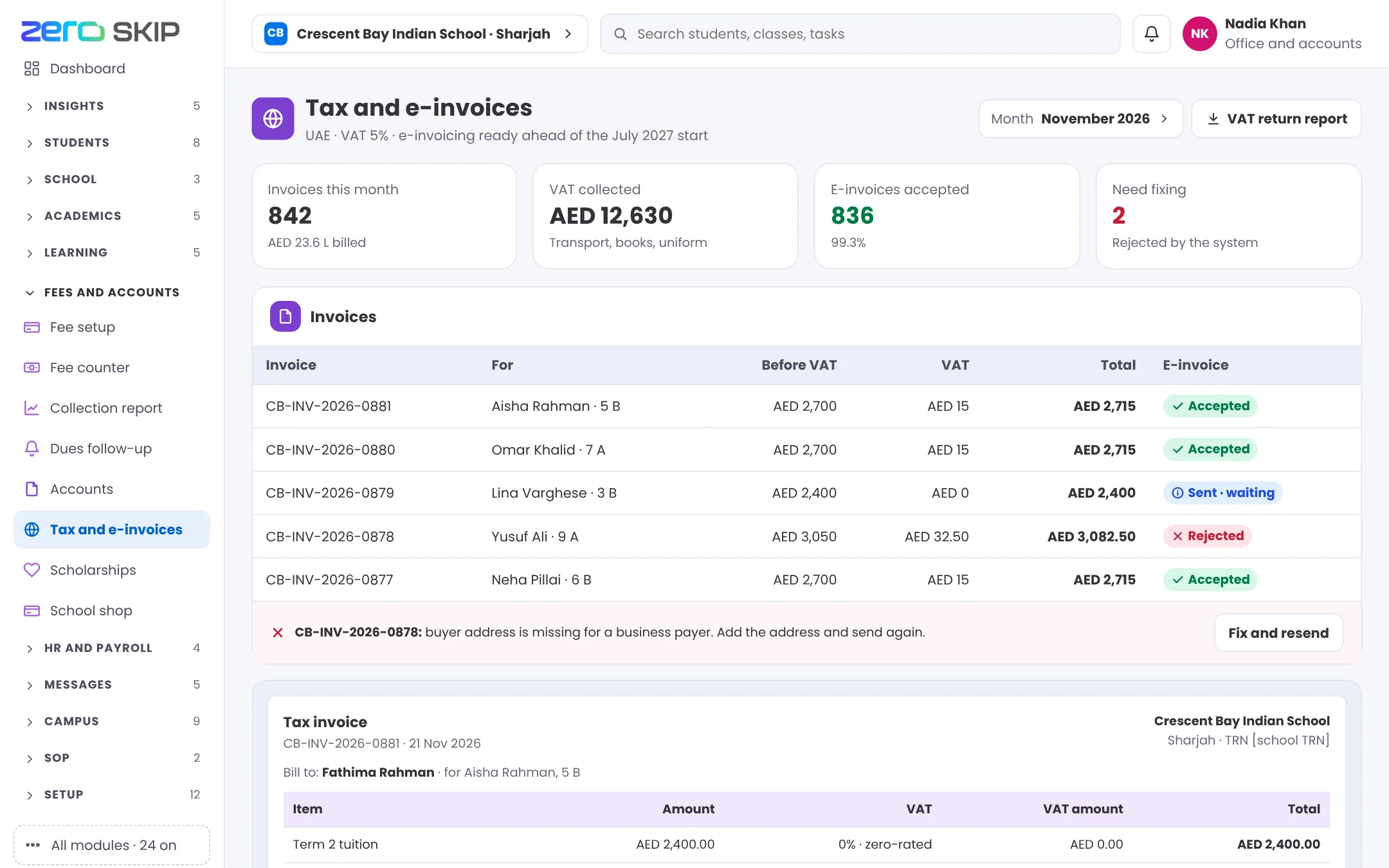
VAT invoices and e-invoice status for UAE schools
Tax invoices carry the fields the UAE pack needs, and each e-invoice shows whether it was accepted, is waiting or needs a fix.
- VAT by fee head at the rate you set
- Accepted, waiting and rejected in one list
- A plain reason when an invoice is rejected
A fee concession is a procedure, not a favour
The request, each approval and the fee plan change are steps in an SOP. You can see who approved every concession and when.
FAQ
Questions about fees and accounts
Can parents pay school fees online?
Yes. Parents pay in the Family app through the payment gateway your school uses. The receipt shows in the app and in the office at once.
Does Zeroskip replace our accounting software?
For most schools, yes: vouchers, day book, ledgers and bank reconciliation are inside. If your auditor works in Tally, you can export to it.
How are concessions and scholarships handled?
Concessions are set by rule in the fee plan and approved through an SOP. A scholarships module is on the roadmap.
Can a group see fees across campuses?
Yes. The group console shows collection and dues for each campus. Consolidated finance follows in the next release.

See Zeroskip with your own school in mind
Tell us about your school. We will show the modules you need, with your classes, your fee heads and one of your own procedures.
Or call [YOUR PHONE] · WhatsApp [YOUR WHATSAPP]