
Family app · Staff app
Two school apps. One for families, one for staff.
Parents see attendance, fees, notices and report cards in the Family app. Teachers and office staff mark attendance and finish their tasks in the Staff app. Both come with Zeroskip.
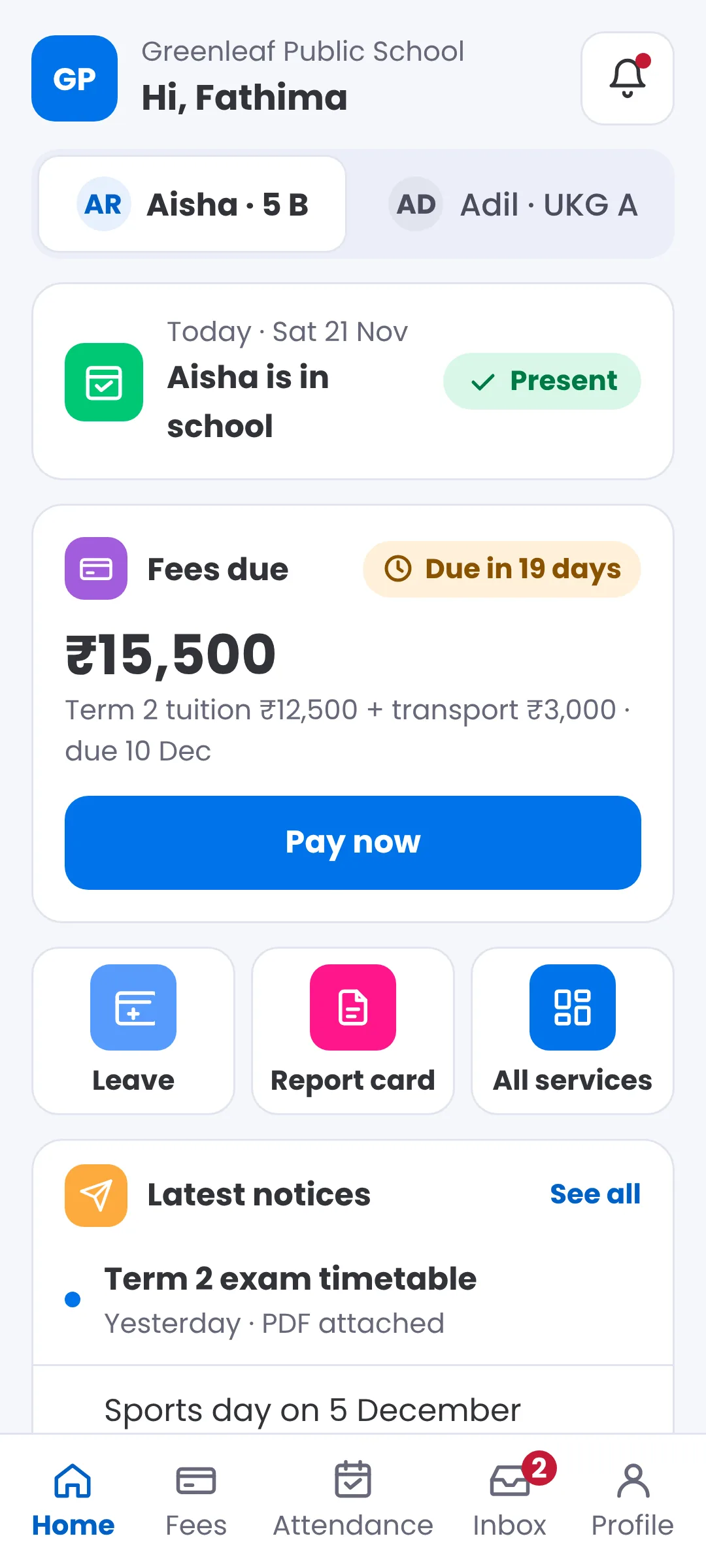
School app for parents
Everything a parent asks the office, in one app
One Family account covers every child in the family, across classes and campuses.
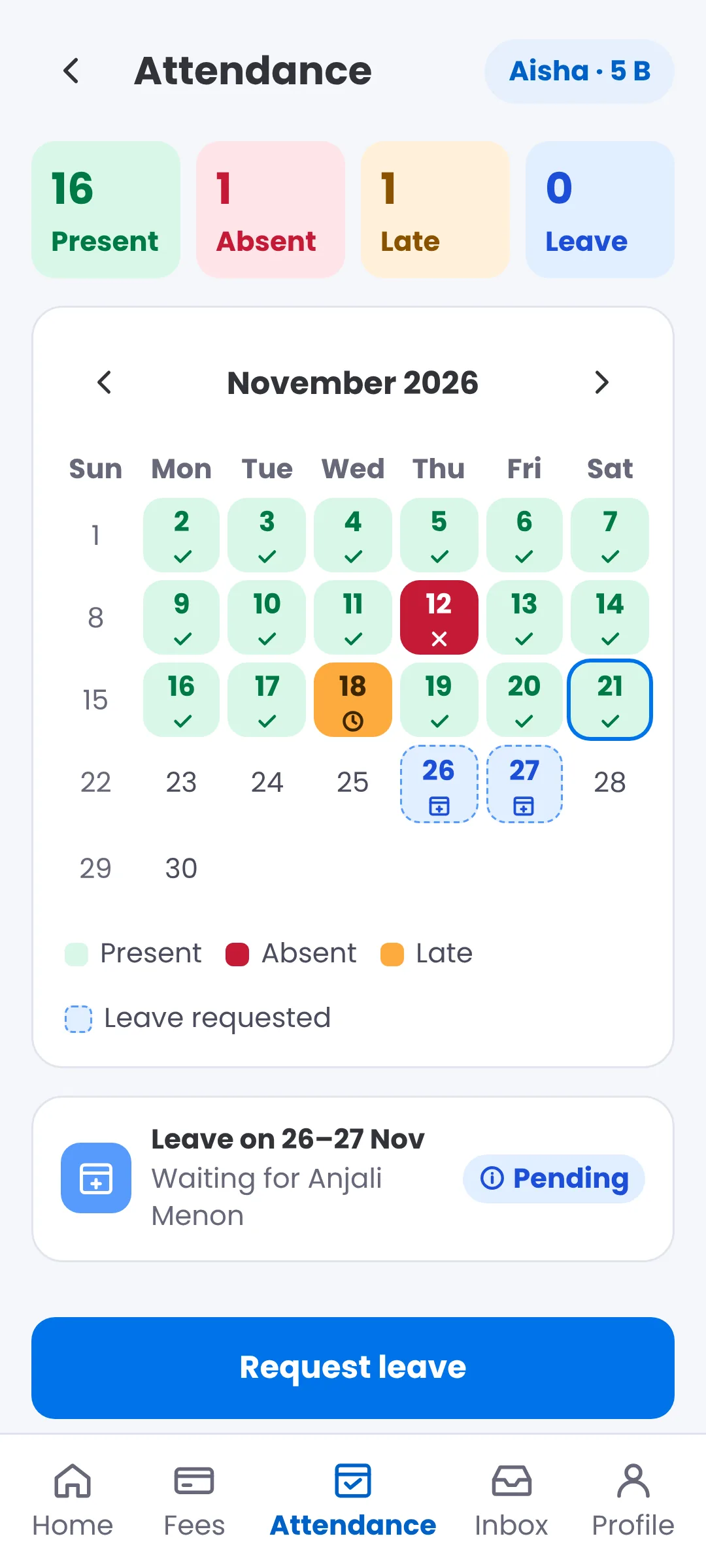
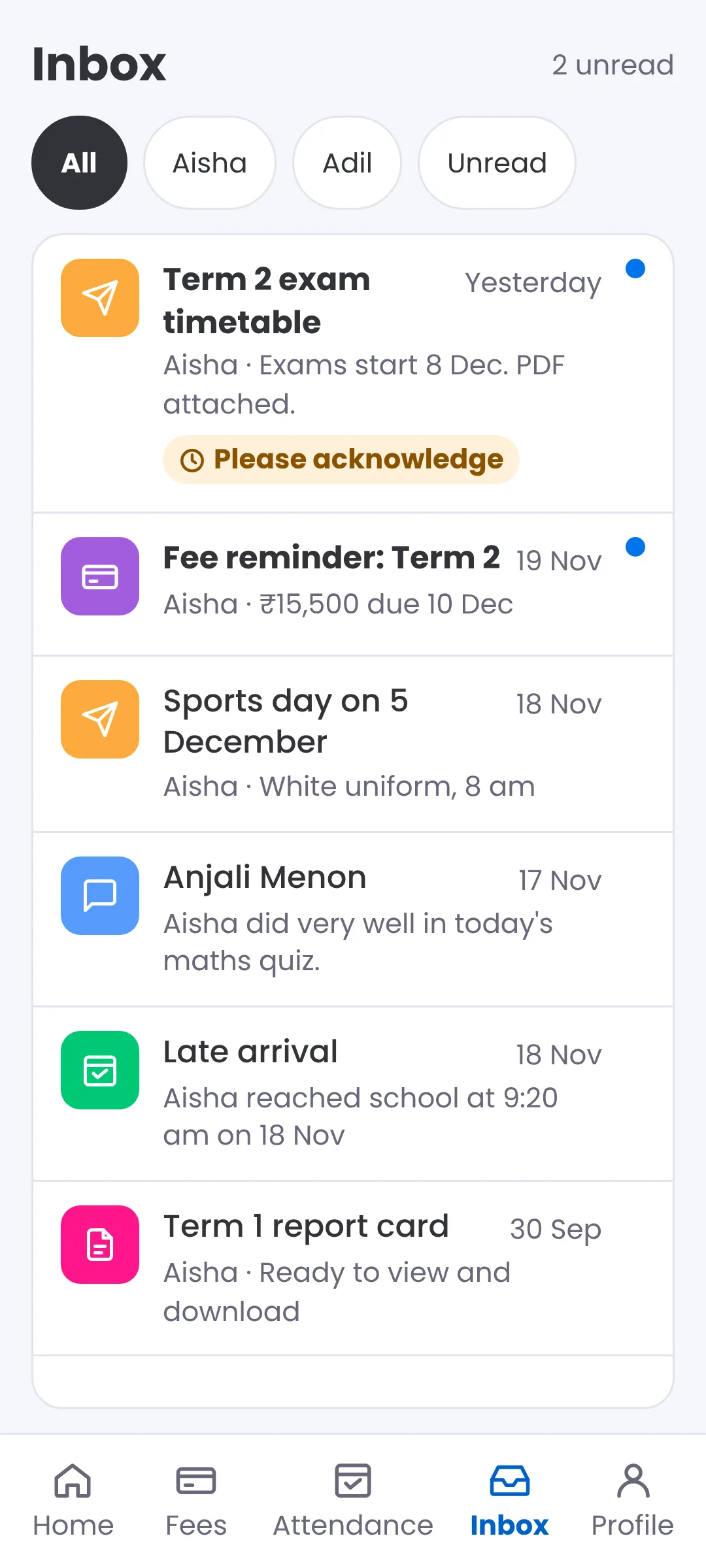
- Attendance by day, with leave requests
- Notices and messages in one inbox
- Fees due, payment and receipts
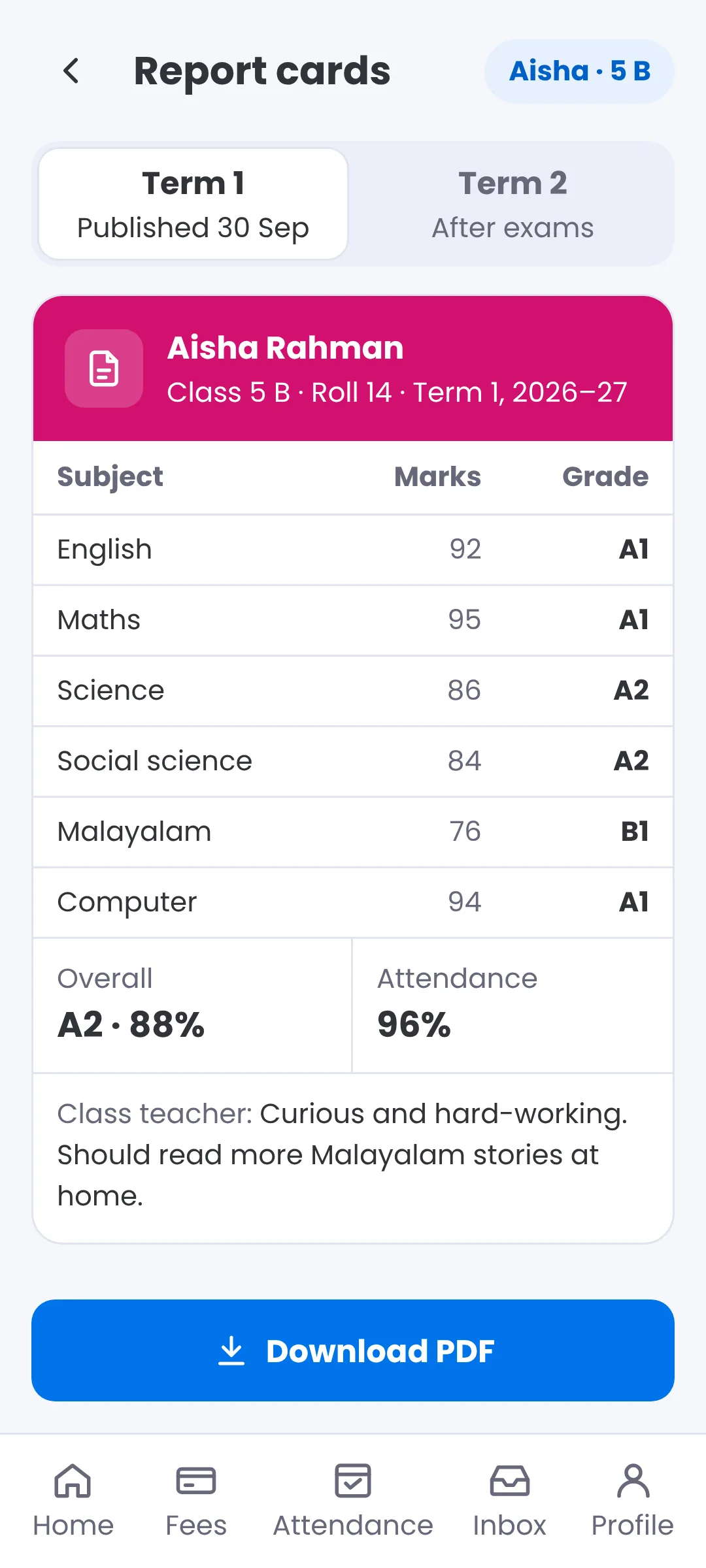
- Report cards as soon as they are published
School attendance app for staff
A teacher's day, without the paperwork
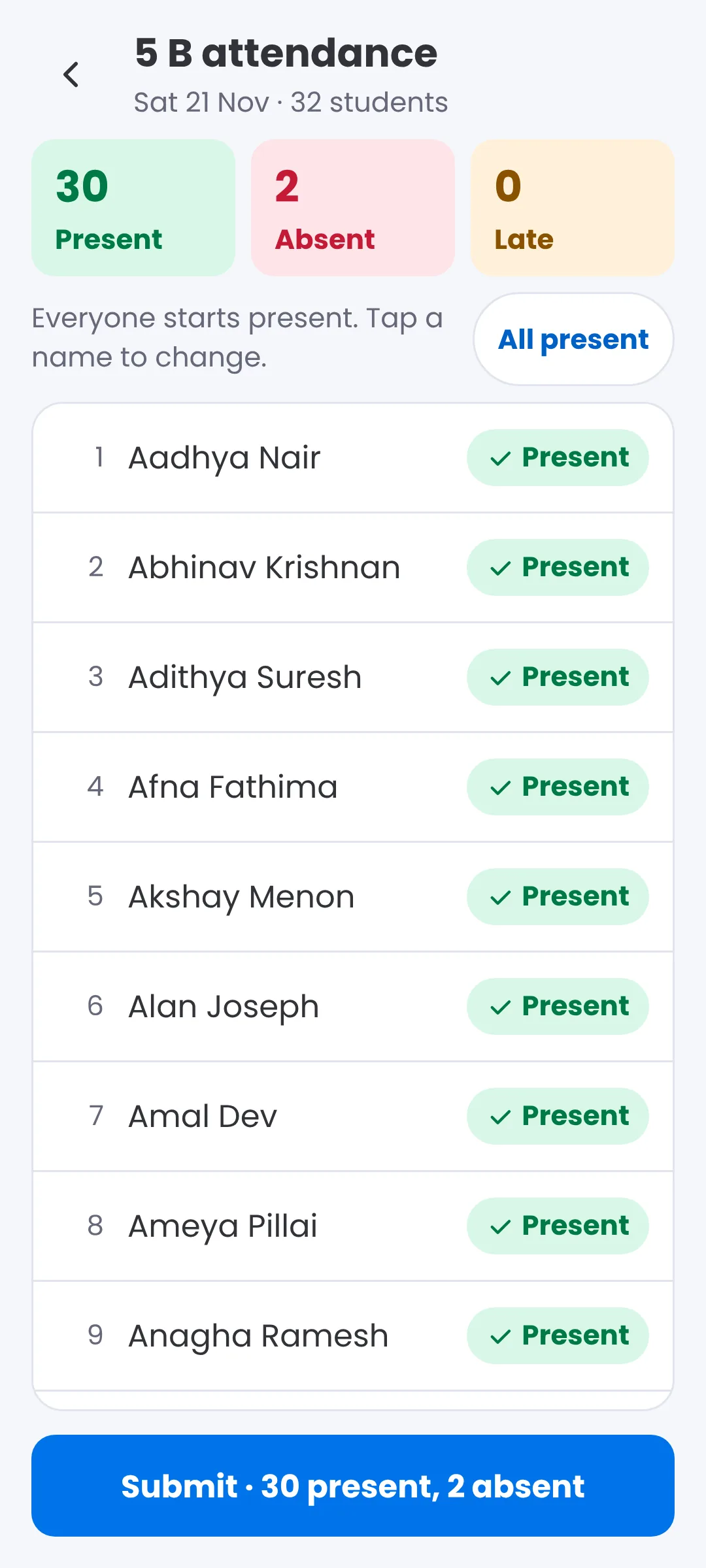
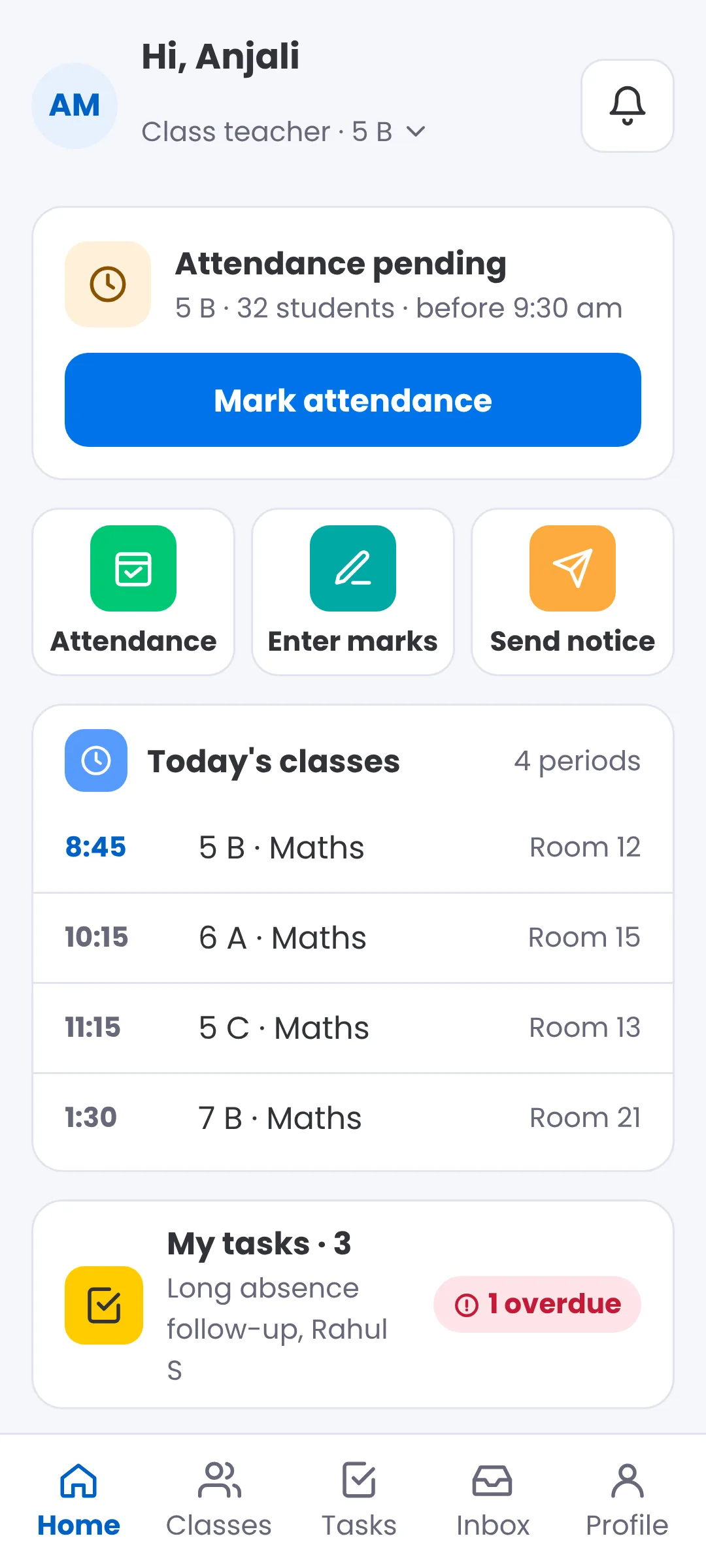
The Staff app opens on what is due now: the class to mark, the tasks waiting and the steps that need an answer.
- Mark a class and move on
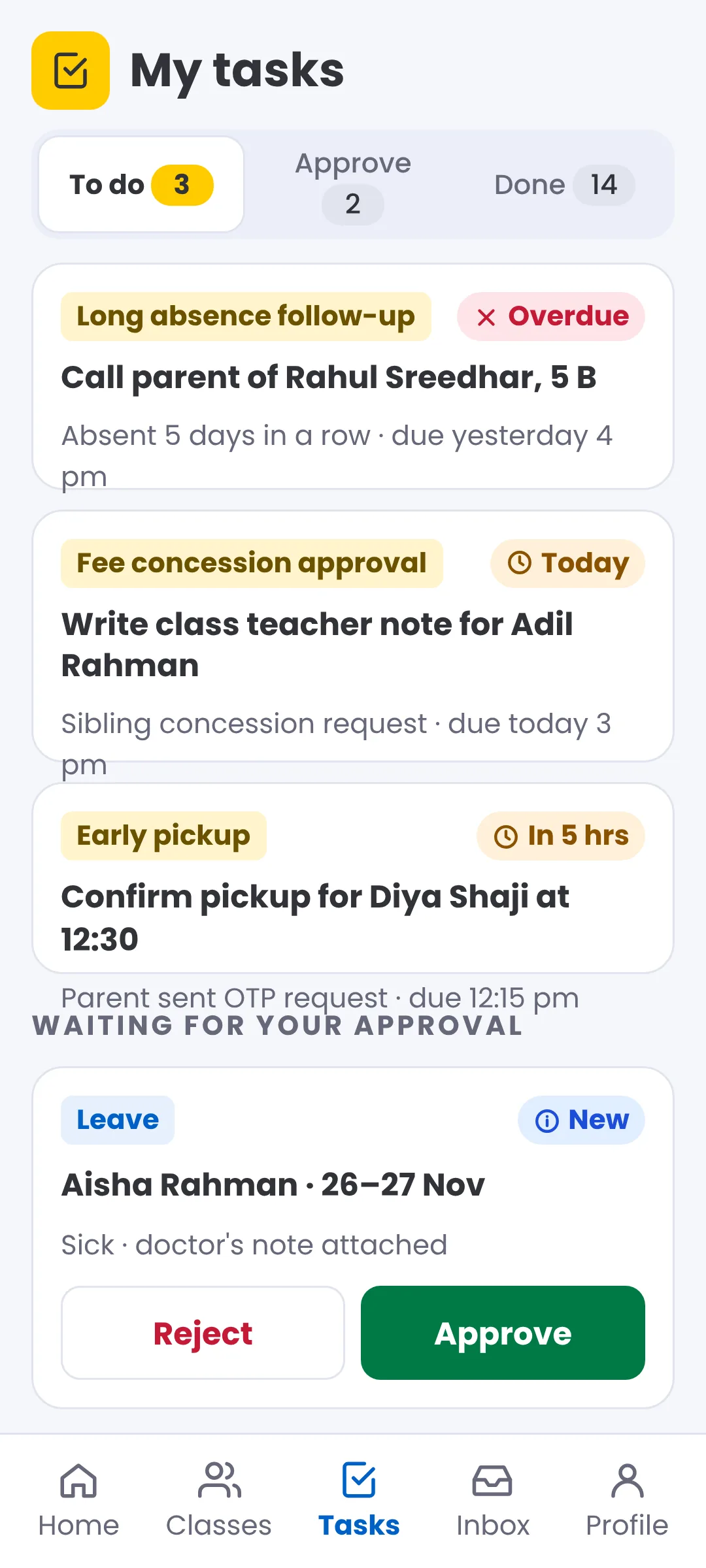
- Tasks from SOPs, with due times
- Approvals for leave and requests
- The same sign-in on web and phone
Fee payment
School fees paid from the phone
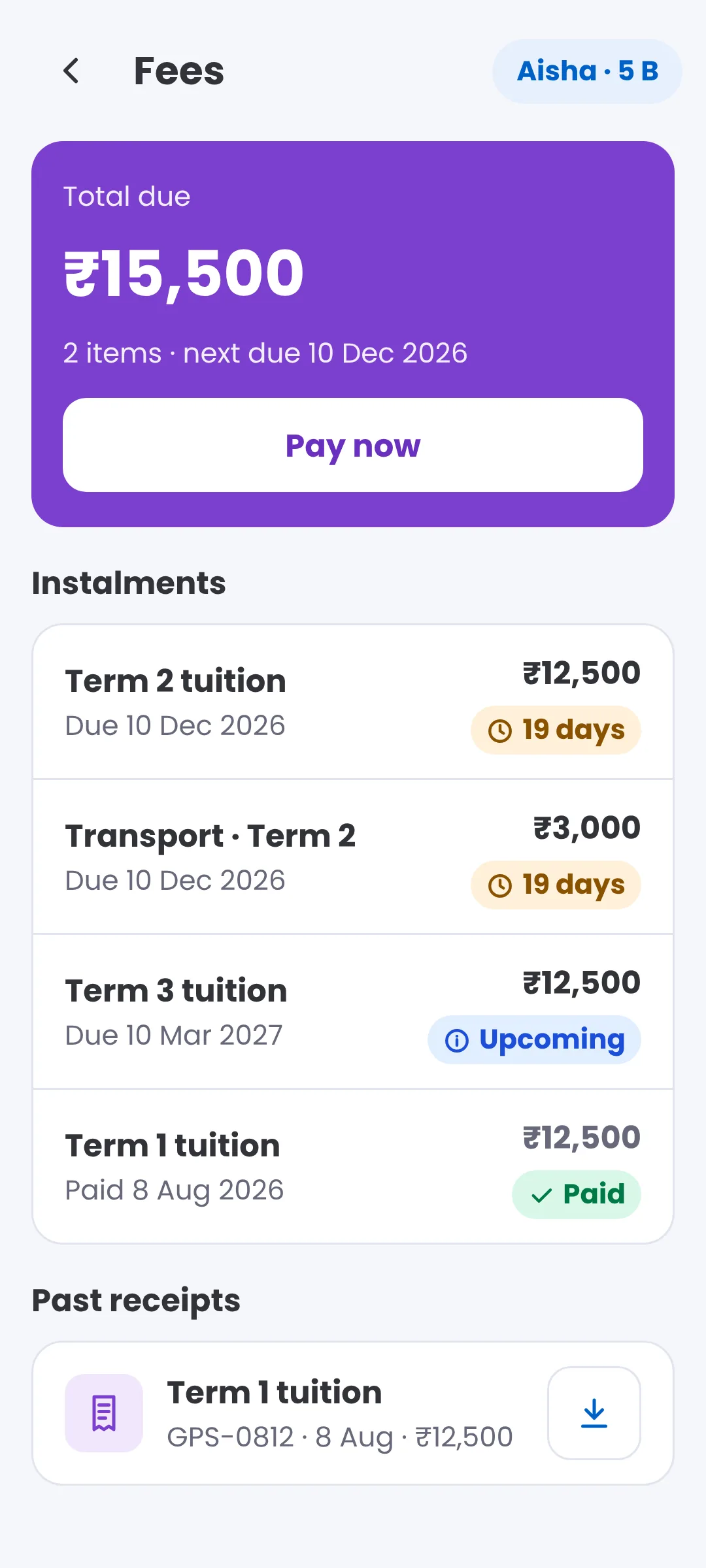
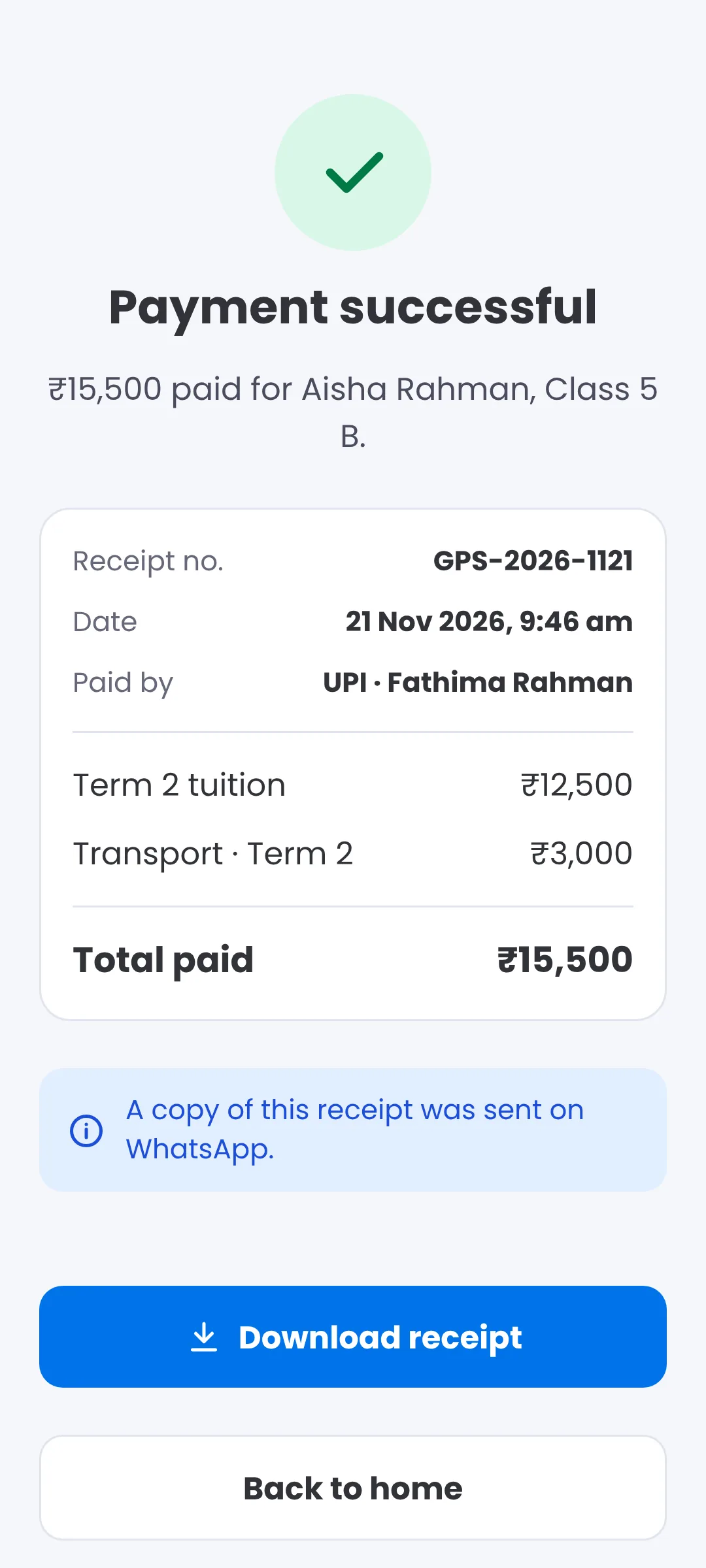
Parents see what is due and pay through the payment gateway your school uses. The receipt arrives in the app and the office sees it at once.
- Amount due by child and by term
- Receipt in the app after payment
- Payment history for the year
Every stage
The same two apps for pre-school, school and college
Pre-school
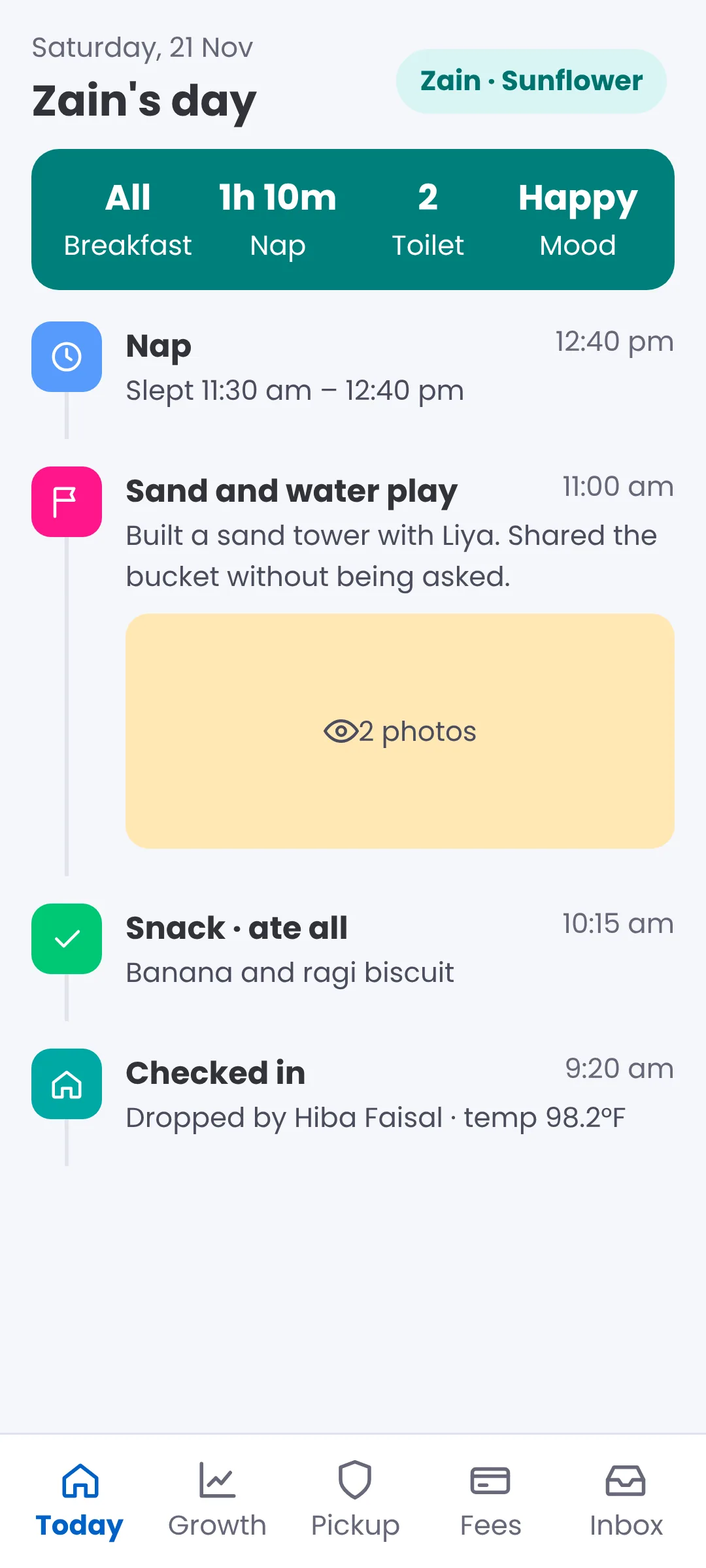
A daily feed of meals, naps and activities.
Your school colours
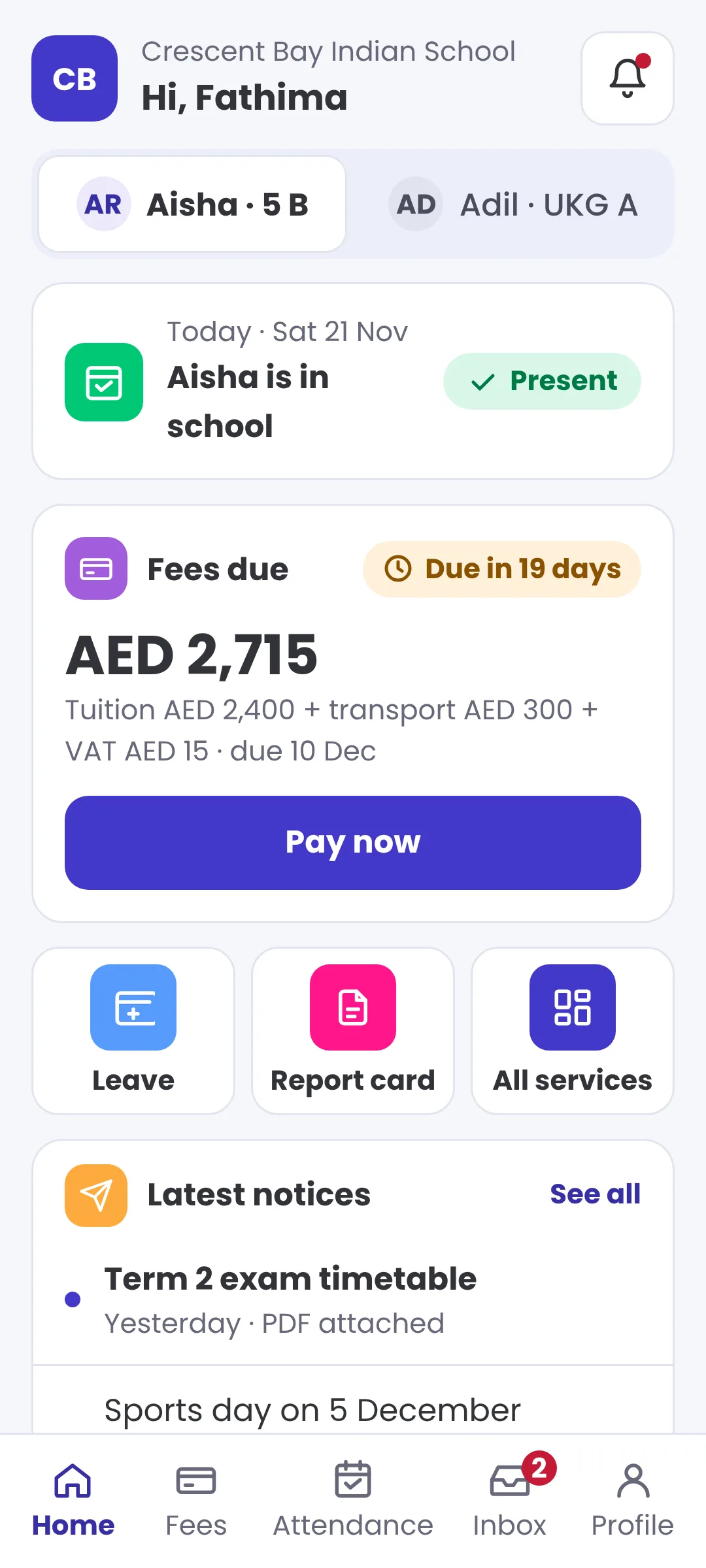
The app shows your school name, logo and colours after sign-in.
College
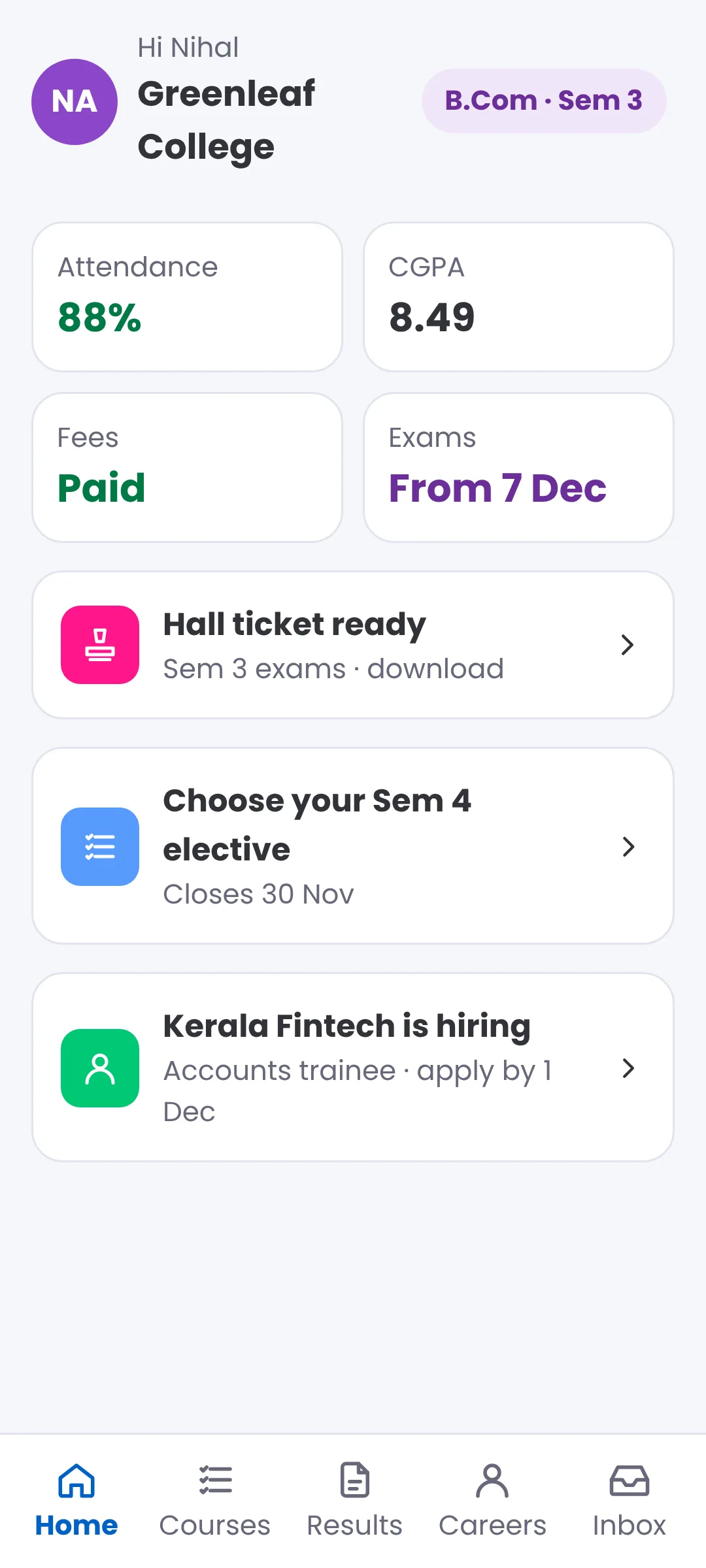
A student home for classes, credits and fees.
Want your own name in the app stores?
A branded app carries your school name and icon on the App Store and Google Play. Our team builds, publishes and updates it for you.
FAQ
Questions about the school apps
Is there a separate school app for parents and teachers?
Yes. Family is for parents and students. Staff is for teachers and office staff. Both are included.
Do parents need one login for each child?
No. One Family account shows all the children in the family, even in different classes or campuses.
Can the app carry our school name?
Inside the common app, parents see your school name, logo and colours after they sign in. A branded app in the app stores is an add-on.

See Zeroskip with your own school in mind
Tell us about your school. We will show the modules you need, with your classes, your fee heads and one of your own procedures.
Or call [YOUR PHONE] · WhatsApp [YOUR WHATSAPP]